Android Releases
Kimai Mobile for Android release history
We are constantly improving Kimai Mobile for Android app users by adding features or stabilizing its functionality. We are making the current functionalities easier to use and more appealing for your eyes. You are interested in learning more about the latest features? Click here to view all current and future upcoming features of the Kimai Mobile App.
Release Overview
- Version: 1.4.2 [May 21, 2026] Pause & Resume Timer and Activity Management
- Version: 1.4.1 [April 22, 2026] Customizable Timer View and UI Polish
- Version: 1.4.0 [March 17, 2026] New Geofence Features for Enterprise Users
- Version: 1.3.19 [January 12, 2026] Record GPS Location on Timesheets
- Version: 1.3.18 [December 17, 2025] Date Format Options and Turkish Language Support
- Version: 1.3.17 [November 21, 2025] Now Compatible with Kimai Server 2.41.0+
- Version: 1.3.16 [November 10, 2025] Faster Sync and Enhanced Error Message
- Version: 1.3.15 [October 02, 2025] Optimized Workspace Selection Process
- Version: 1.3.14 [September 18, 2025] Create Time Entries Directly from Calendar View
- Version: 1.3.13 [August 29, 2025] Streamlined Create Workspace Screen
- Version: 1.3.12 [August 12, 2025] Improved Connection Reliability
- Version: 1.3.11 [July 31, 2025] Quick Workspace Setup with QR Code & Smoother Sync
- Version: 1.3.9 [July 09, 2025] Customer and Project Management is Here
- Version: 1.3.8 [June 26, 2025] Stability and Offline Access Improvements
- Version: 1.3.7 [June 11, 2025] Improvements to Time Tracking, Reporting, and Dark Mode
- Version: 1.3.6 [June 03, 2025] Enhanced Productivity: Easier Time-Tracking, Smarter Filter & Instant Version Info
- Version: 1.3.5 [May 19, 2025] Improved License Notifications
- Version: 1.3.4 [April 23, 2025] Enhanced UI and Stability Release
- Version: 1.3.3 [March 26, 2025] New language added with optimized user notifications
- Version: 1.3.2 [March 4, 2025] Smart URL detection and sync performance and reliability upgrades and other fixes
- Version: 1.3.0 [February 11, 2025] Rebuild of app due to switch to new Google SDK and added new languages
- Version: 1.2.43 [February 22, 2024] Issue and bug fixes
- Version: 1.2.40 [November 7, 2023] Important for all existing Kimai users: Prepare for In-App Billing
- Version: 1.2.39 [September 22, 2023] Duration Picker Modification
- Version: 1.2.38 [September 1, 2023] App supporting Time Clock
- Version: 1.2.37 [August 11, 2023] Italian Language
- Version: 1.2.36 [July 7, 2023] Take a Break, Enhanced Performance
- Version: 1.2.35 [June 29, 2023] Dark Mode
- Version: 1.2.34 [June 9, 2023] Offline Mode
- Version: 1.2.33 [March 28, 2023] Added languages
- Version: 1.2.32 [March 7, 2023] Notification about new updates, Reminder for individual tasks, Added language
- Version: 1.2.29 [December 27, 2022] Time and date picker, Timezone selection
- Version: 1.2.28 [November 3, 2022] Delete an entry, Work report, Self-signed SSL
Version 1.4.2
Date: May 21, 2026
Pause & Resume Timer and Activity Management
You can now pause and resume your timer without re-entering any details. Admins can also create, edit, and delete activities directly in the app, right alongside Projects and Customers. Your Projects and Customers lists now stay visible even when you're offline. Plus other bug fixes and improvements for a smoother experience.
Version 1.4.1
Date: April 22, 2026
Customizable Timer View and UI Polish
A feature you've been asking for! Toggle entry grouping directly on the Timer screen to switch between grouped and detailed views in a single tap. First-time users get the app automatically in their device's language. We've also polished UI interactions and dark mode readability for a smoother, more responsive feel. Plus fixes for offline entry creation, sync errors when filtering by date ranges, and other minor bug fixes.
Version 1.4.0
Date: March 17, 2026
New Geofence Features for Enterprise Users
Enterprise users can now use geofencing to get arrival reminders and enforce location-based time tracking (requires server plugin). We've also fixed overlapping time validation when editing entries, resolved timer issues when device and server timezones differ, and clarified free trial text to prevent confusion.
Version 1.3.19
Date: January 12, 2026
Record GPS Location on Timesheets
Enterprise users can now record GPS location data when starting and stopping timers (requires plugin setup on your Kimai server). We've added an Enterprise badge to workspace selection for easy identification, fixed timesheet form validation for future and overlapping entries, and resolved an issue where time format preferences weren't saving properly.
Note: We've optimized license verification for better reliability. If your license isn't recognized, simply restore it in purchase license screen (cart icon).
Version 1.3.18
Date: December 17, 2025
Date Format Option and Turkish Language Support
You can now customize your date format in settings, including US format (MM/DD/YYYY), and the app is now available in Turkish! We've also fixed time zone issues in offline mode for accurate tracking, resolved the global activity filter for certain projects, and enhanced error messages for customer/project management to make troubleshooting easier.
Version 1.3.17
Date: November 21, 2025
Now Compatible with Kimai Server 2.41.0+
Now compatible with Kimai Server 2.41.0+, fixing data loading issues with the latest server version. Based on user feedback, we've added entry descriptions to the Timer list view so you can quickly identify your entries at a glance. We've also improved server compatibility for self-signed certificates and http connections, and enhanced error messages for easier troubleshooting.
Version 1.3.16
Date: November 10, 2025
Faster Sync and Enhanced Error Message
Customer and project dropdowns now load reliably with real-time sync status. We've made syncing faster, improved localization across languages, and added clearer error messages when entries can't be edited or workspace setup needs attention.
Version 1.3.15
Date: October 02, 2025
Optimized Workspace Selection Process
We've optimized the workspace selection process for smoother navigation and fixed some Spanish translation issues to improve clarity.
Version 1.3.14
Date: September 18, 2025
Create Time Entries Directly from Calendar View
Create time entries instantly by tapping directly on your calendar view. We've also fixed tag creation issues so your new tags are saved correctly, improved time zone handling for accurate date display, and ensured all buttons are perfectly positioned and accessible.
Version 1.3.13
Date: August 29, 2025
Streamlined Create Workspace Screen
We've streamlined the Create Workspace screen for a clearer setup experience. Report filter buttons now work perfectly on all device sizes, and offline workspace access is more stable than ever.
Version 1.3.12
Date: August 12, 2025
Improved Connection Reliability
We've improved connection reliability to keep your data syncing smoothly. Time entries are now grouped correctly by date on the Timer screen, regardless of your time zone. Your tracking data stays organized exactly as it should!
Version 1.3.11
Date: July 31, 2025
Quick Workspace Setup with QR Code & Smoother Sync
Add new workspaces in seconds with QR-code setup. Running timers stay visible while data syncs in the background. We also filled in missing items in the Activities list and improved Play Store purchase reliability for lifetime licenses.
Version 1.3.9
Date: July 09, 2025
Customer and Project Management is Here
Manage Customers / Projects directly in the app. Create, view, update, or delete them without needing to switch to the web version (with the correct access rights). We've also fixed a loading loop issue on the home screen and resolved a problem that caused the app to close unexpectedly when copying time entries. This update brings a smoother and more stable time tracking experience.
Version 1.3.8
Date: June 26, 2025
Stability and Offline Access Improvements
This update includes several fixes and enhancements to keep things running smoothly. Offline access is now more reliable for licensed users, dropdowns behave better on zoomed displays, and we've resolved a few issues around workspace updates and time calculations.
Version 1.3.7
Date: June 11, 2025
Improvements to Time-Tracking, Reporting, and Dark Mode
A few useful fixes and tweaks in this release. The time tracker now stops without errors, and selecting a custom date range in the Reports page is now more intuitive. We've also improved text visibility in dark mode to make things easier on the eyes.
Version 1.3.6
Date: June 03, 2025
Enhanced Productivity: Easier Time-Tracking, Smarter Filter & Instant Version Info
This update brings a few helpful improvements! Creating time-tracking entries is now easier with improved form fields, and the search function is working properly again. You'll also see your app and OS version on the home screen — super handy if you ever need support.
Version 1.3.5
Date: May 19, 2025
Improved License Notifications
Just a few small fixes to reduce confusion and keep you moving. Improved license notifications for a smoother experience.
Version 1.3.4
Date: April 23, 2025
Enhanced UI and Stability Release
Optimized user interface for a smoother and more intuitive experience and fixed bugs to improve performance and overall reliability.
Version 1.3.3
Date: March 26, 2025
New language added with optimized user notifications
Now available in Dutch! Enhanced User Notifications — Clearer and more effective error messages for a smoother experience!
Version 1.3.2
Date: March 4, 2025
Smart URL detection and sync performance and reliability upgrades and other fixes
Experience a smoother, smarter, and more reliable platform with our latest updates! We've resolved issues with exporting, ensuring hassle-free editing of exported entries, and introduced Smart URL Detection to automatically recognize and handle links effortlessly. Dark Mode is now more consistent, delivering a seamless visual experience, while our completely reworked Syncing System enhances performance and reliability. Plus, we've fixed the Save Button bug, ensuring timers are created without a hitch. Upgrade now and enjoy a more refined, intuitive, and efficient experience!
Version 1.3.0
Date: February 11, 2025
Rebuild of app due to switch to new Google SDK and added new languages
Major rebuild of the app due to a switch to the new Google SDK with additional support for the new user authentication method using API tokens. In this update, we've gone the extra mile to improve our language support. Now, you can seamlessly use Kimai Mobile in multiple languages Portuguese, Chinese, Hindi, Japanese, Arabic, Korean, providing you with a more intuitive and user-friendly experience.
Version 1.2.43
Date: February 22, 2024
Bug and issue fixes
Fixed copy entry issue in calendar view. Fix of delete entry issue in calendar view and Resolution of Dark mode issues and Other minor bug fixes.
Version 1.2.40
Date: November 7, 2023
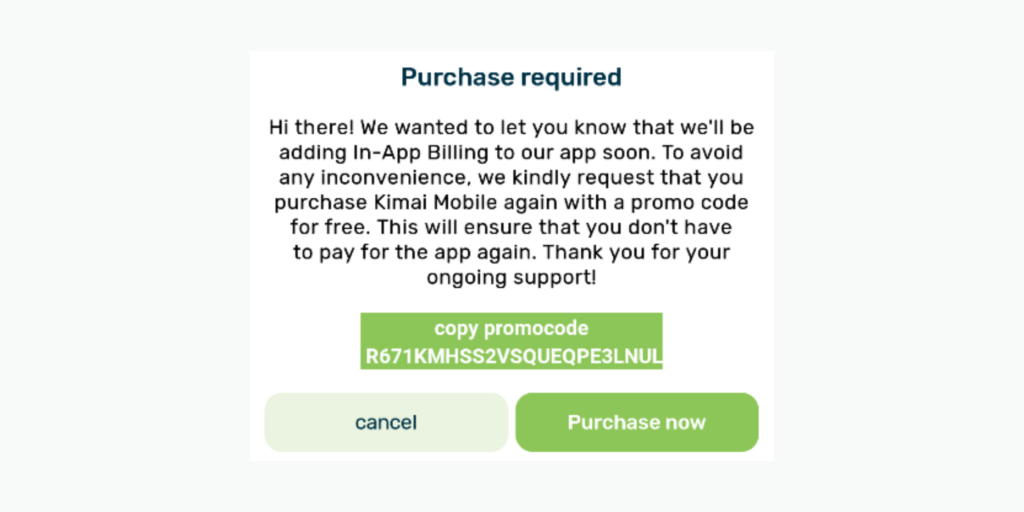
Important for all existing Kimai users: Prepare for In-App Billing
Dear Kimai users, we're introducing a 7-day free trial and In-App billing to our app! As a cherished user, simply click "Purchase for free" to secure a lifetime license at no cost and guarantee you won't be charged in the future.
Version 1.2.39
Date: September 22, 2023
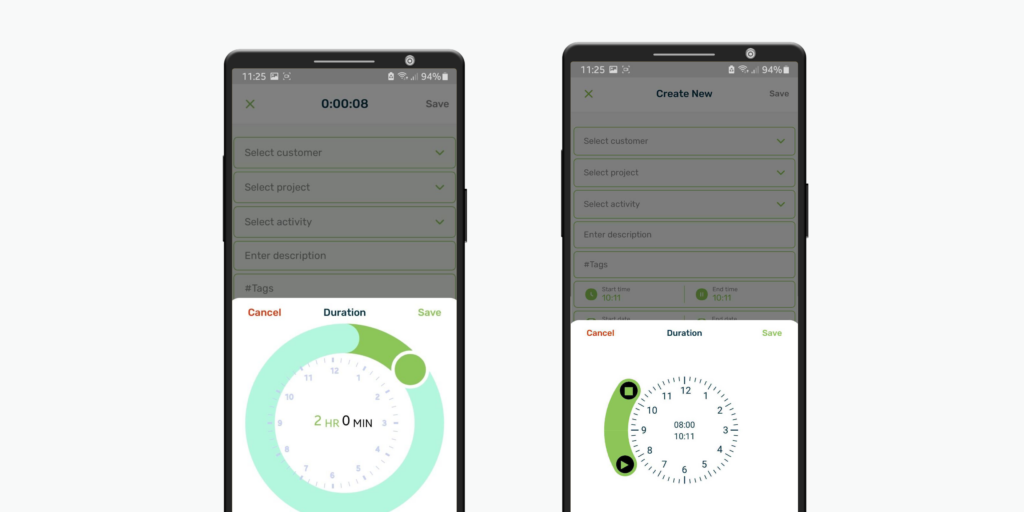
Duration Picker Modification
The redesign of the duration picker ensures a more intuitive and user-friendly experience. Now, when you select a time range, it accurately calculates the duration based on minutes, providing precise time tracking. For example, if an entry begins at 8:30 and ends at 9:00:35, it will now correctly display as 30 minutes in the new version, making your time management more efficient. [New Version: Duration Picker (Right) | Old Version: Duration Picker (Left)]
Version 1.2.38
Date: September 1, 2023
App Supporting Time Clock
Kimai Mobile now enables the Time-Clock feature, designed to bring precision and accountability to your time tracking. Whether you're managing a team or simply want to maintain accurate records of your own time, this feature is key. As an additional optional solution to the default mode that allows you to edit a time log within 24 hours, Time-Clock Support disables the possibility to edit time or details of your entries. So now you can choose the level of control that best suits your workflow.
Version 1.2.37
Date: August 11, 2023
Italian Language
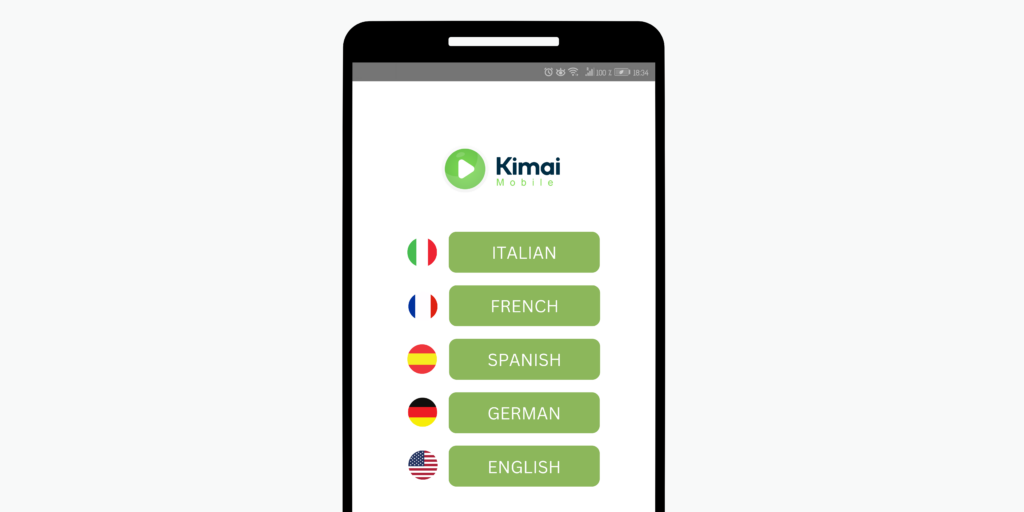
We believe that language should never be a barrier to productivity. In this update, we've gone the extra mile to improve our Italian language support. Now, you can seamlessly use Kimai Mobile in Italian, providing you with a more intuitive and user-friendly experience.
Version 1.2.36
Date: July 7, 2023
Take a Break
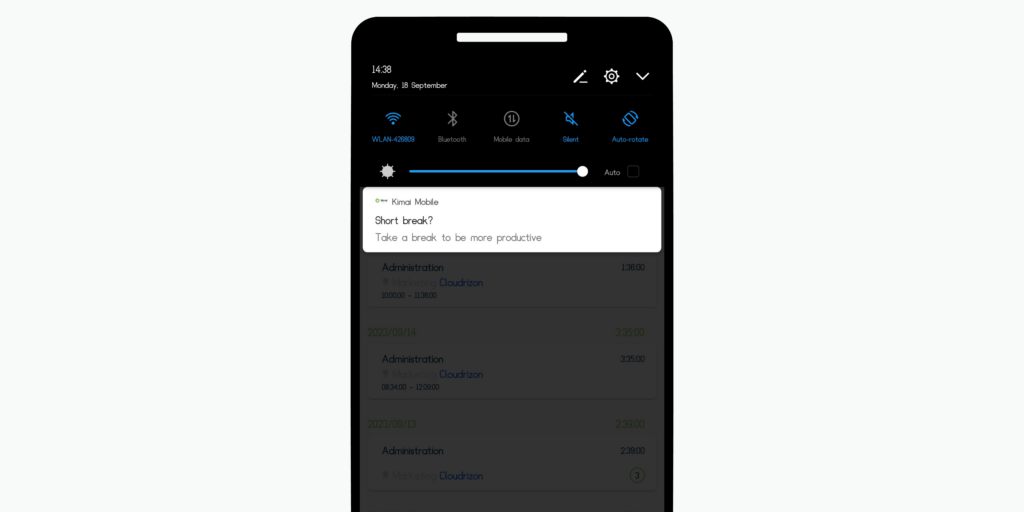
Are you tired of working tirelessly without a moment to recharge? Say goodbye to burnout with our "Take a Break" feature. Now, after 4 hours of uninterrupted work, you will receive gentle reminders to step away from your tasks and rejuvenate. Whether it's a short stroll, a power nap, or a cup of your favorite beverage, these breaks are tailored to keep you at your best.
Enhanced Performance
Managing your entries has never been easier. You can now filter your entries according to your preferences. Choose from options like 50, 100, 200, or view all entries at once. This enhancement ensures that you can access your data with lightning speed, making your workflow more efficient than ever.
Version 1.2.35
Date: June 29, 2023
Dark Mode
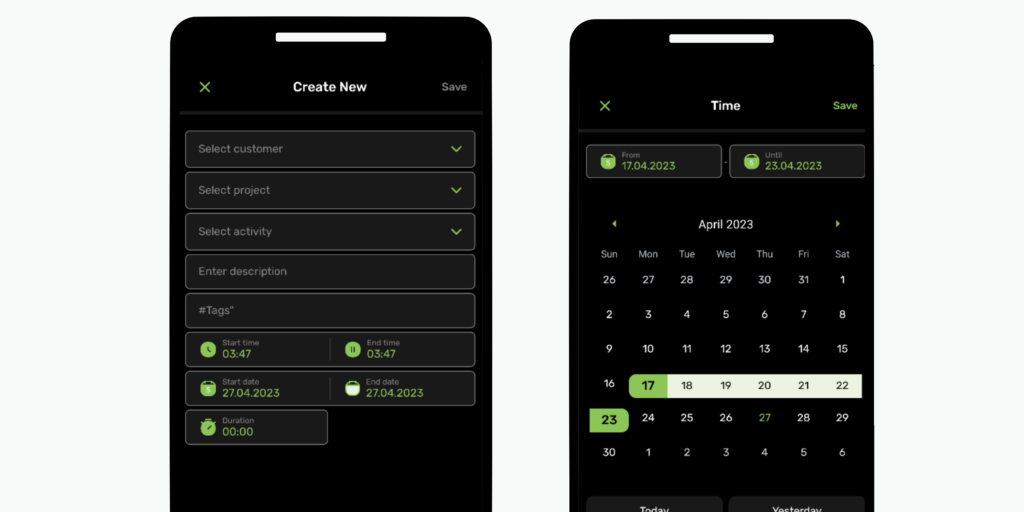
Elevate Your Time Tracking Experience. Enjoy a sleek new look that reduces eye strain and helps you stay focused while tracking your time. With a visually appealing interface, Dark Mode enhances productivity during late-night work sessions or whenever you prefer a more subdued color scheme.
Version 1.2.34
Date: June 9, 2023
Offline Mode
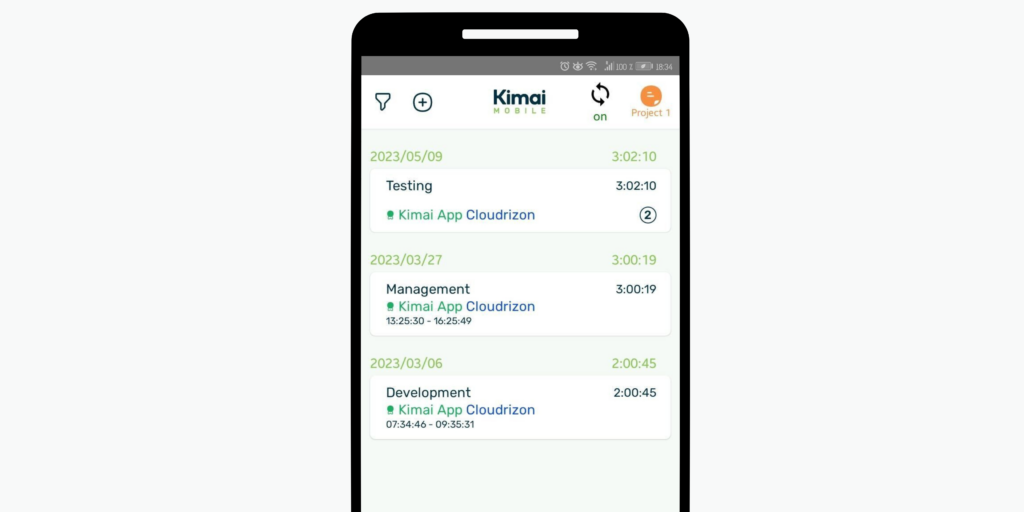
Introducing the Offline Feature: Track your time anywhere with the Kimai Time Tracking app, even without an internet connection. Enjoy uninterrupted productivity and seamless syncing once you're back online.
Version 1.2.33
Date: March 28, 2023
French and Spanish language (beta version)
Exciting announcement! Kimai Mobile is now accessible to all users who speak French and Spanish. If you find these languages more convenient, feel free to switch to them.
Version 1.2.32
Date: March 7, 2023
Notification about new updates
Every time we make changes to the Kimai Mobile app, you will receive a little reminder to update the App. Through this release, we enable you to use the Apps' full functionality.
Reminder for individual tasks
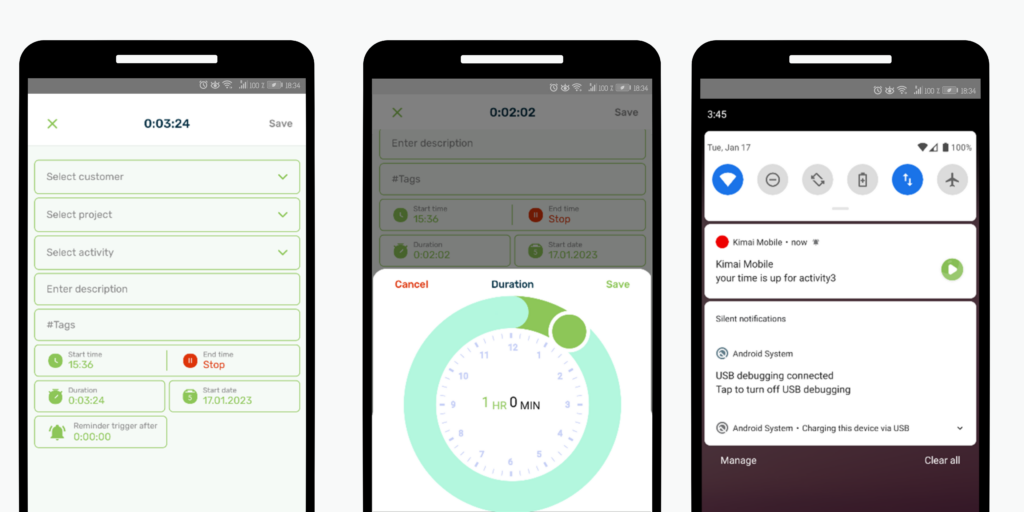
When you start tracking your individual tasks, you can set a reminder for a certain time you want to work on this specific task. After the time is up you will receive a (sound) notification on your phone.
German language
Great news! From now on Kimai Mobile will be available to all german speaking users. So if you feel more comfortable in German, then go ahead and switch languages.
Version 1.2.29
Date: December 27, 2022
Time and date picker
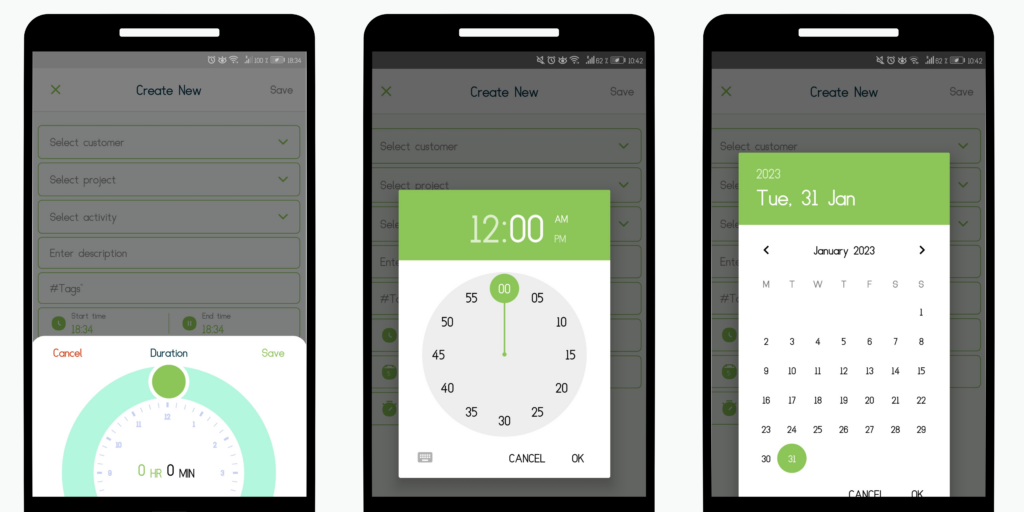
You can now easily make an identical copy of an entry with the function "copy entry". The time and date picker in the Kimai Mobile App makes it even easier to select the time duration and date. Time selection is a user interface control that allows you to select the time in either 24-hour format or AM/PM mode. In addition to being user-friendly, the time and date picker reduces the risk of incorrect information.
Timezone selection
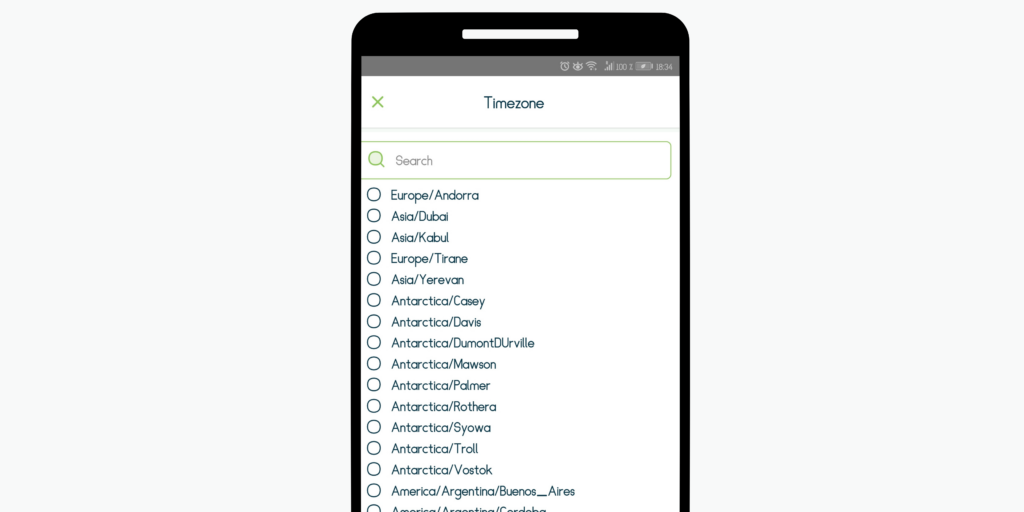
You can now also make a quicker time zone selection using the search bar at the top. Alternatively, you can select your time zone by scrolling manually.
Version 1.2.28
Date: November 3, 2022
Delete an entry
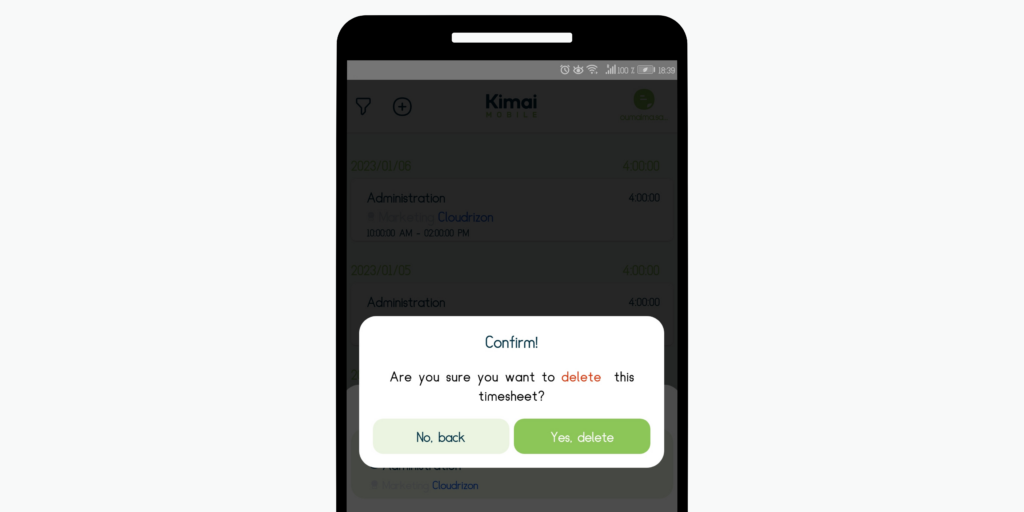
It's always possible that you want to delete an entry. We now made sure though, that you don't delete anything by accident. You will have to confirm your deletion from now on.
Work report
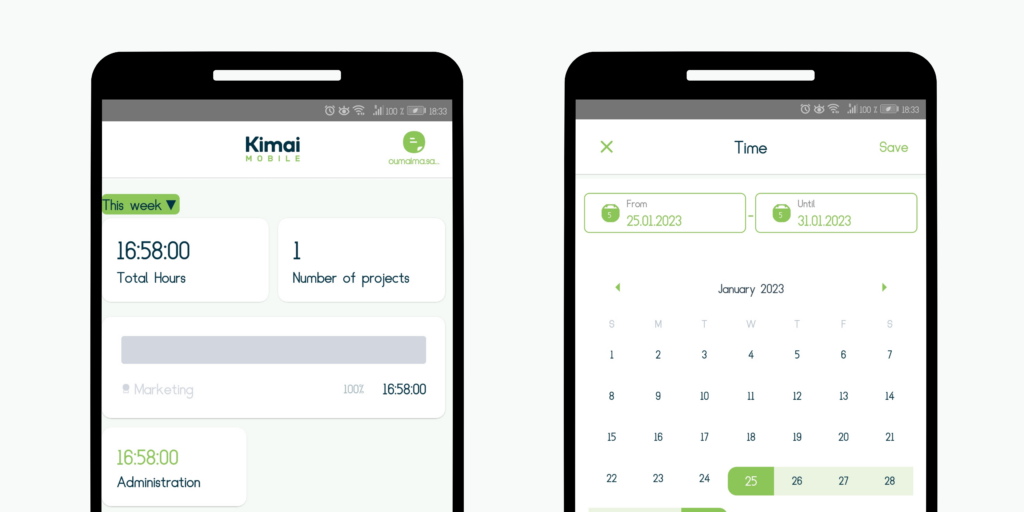
Keeping track of time is enormously important. Now when you go to reporting page, you can see directly how many hours you have worked this week, last month, or the previous year. See exactly how much time you worked in total and how many projects you were dealing with.
Self-signed SSL
This Android release of the Kimai Mobile app includes the support of servers with self-signed SSL certificates. Also, we added the possibility of you rating the App. We'd love some honest feedback and will make sure to include it in the upcoming releases.